
Most conversations about AI at work are about the software. Which tools to license, which workflows to automate, and how quickly teams are actually adopting them.
But a second, more physical question follows. What does the office itself need to look like as AI changes how people spend their working day?
We've written before about the human side of that shift, including the psychological and practical challenges AI brings to a workforce and how furniture can respond.
Here, the focus is on what changing work patterns could mean for office design, and how occupancy data, employee feedback and smaller pilots can help you decide what to change.
How is AI changing the way people work?
AI is changing work by adding a new kind of task to the day: extended, often solo sessions with an AI tool, whether drafting a first pass at a report, analysing a spreadsheet, or working through a problem.
Team collaboration sessions are changing, too. They are becoming less about generating something from scratch and more about building on, challenging, and verifying ideas or plans built with AI assistance.
These evolving working patterns are prompting another look at the physical space.
How is AI changing what people need from the office?
Steelcase's people-centred AI spaces article brings together research on leaders' expectations and employees' experiences. In its 2025 US study:
78% of leaders believe AI will drive office redesigns within the next few years.
That's an expectation rather than evidence of completed redesigns, but it shows where leadership attention is heading.
Steelcase's global employee research (2025) found:
Nearly half of AI users say it has changed how often they connect with colleagues. Among those reporting a change, 78% report more connection and 22% report less.
The findings suggest that working relationships are already changing, but they don't establish a single answer for office design. As people move between individual AI-assisted work and discussion with colleagues, it's worth asking whether your existing settings support both activities, and testing any proposed changes with the people who will use them.
What might a considered response actually look like?
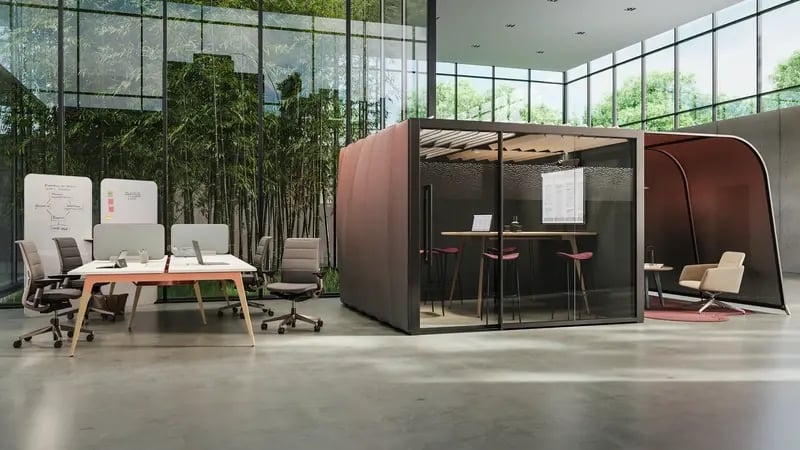
Private settings for individual AI work
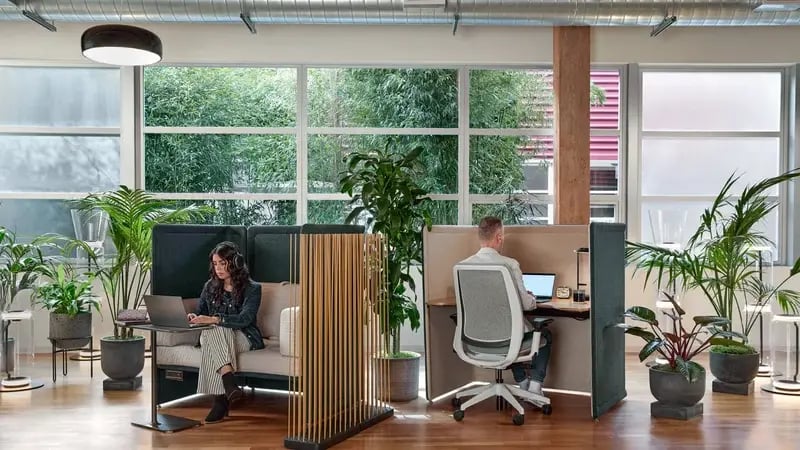
Individual AI work often involves reviewing material, comparing documents, or refining an idea over an extended session, so it benefits from visual privacy, suitable displays, ergonomic support, and reliable connectivity.
Think private enclaves equipped with dual monitors for working with AI tools while creating content, alongside a 'front porch': a small, open collaboration area with a table just outside the enclave. Someone can work through ideas with an AI tool inside, then step next door to review and question the output with colleagues.
Office pods can form part of that mix, while for other tasks, a quiet desk may be enough.
Shared spaces for human judgement
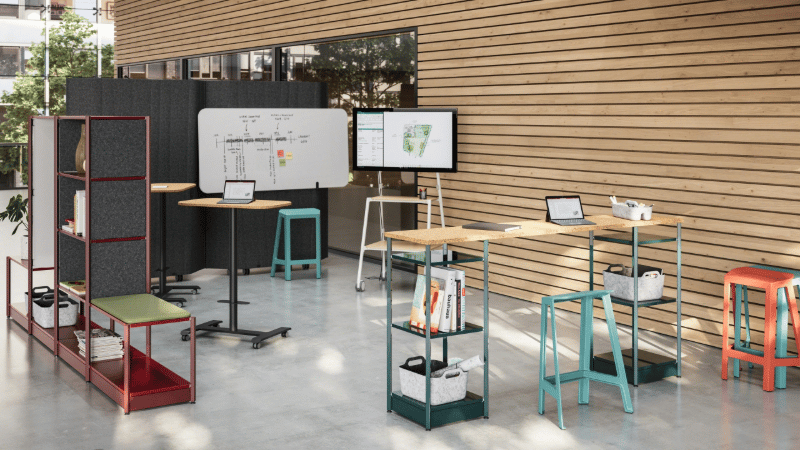
Reviewing AI output well relies on people being able to see the material and one another clearly. Large displays and writable surfaces support comparison and discussion, helping teams spot errors that an apparently confident answer can hide.
Think reservable project rooms with smaller zones for different activities: sharing updates, comparing options, and developing ideas together.
Shared displays, writable surfaces, and reconfigurable furniture support those activities, with attention paid to camera sightlines, lighting, and audio for remote colleagues.
Space for recovery and human connection
Screen-intensive work makes it worth designing for moments to pause and reconnect. Steelcase's global employee research (2025) reports stress or burnout among 37% of AI users, and an association between heavier use and greater strain.
The useful response is choice: quieter settings, comfortable collaborative seating, and social areas where devices don't need to dominate the conversation. These settings complement focused work rather than compete with it.
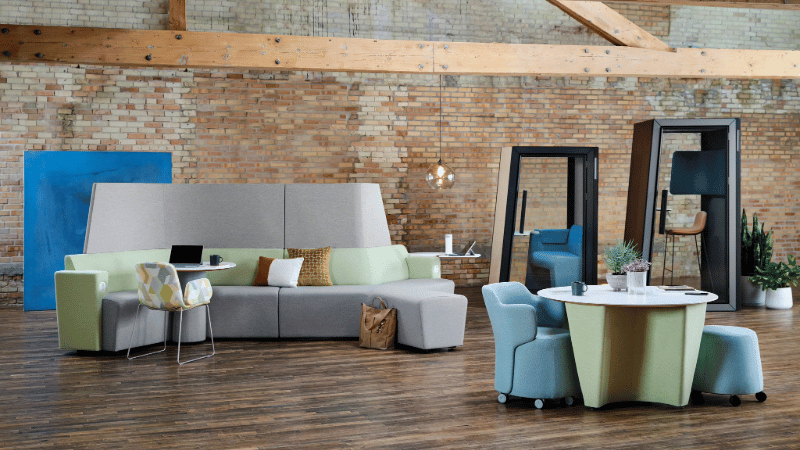
Coalesse Away from the desk lounge furniture
How is your workspace being used?
The settings above offer a useful starting point, but the right mix will depend on your people. Before deciding what to change, look at how they use the space you already have. Where do they concentrate? Where do they come together? Which settings are in demand, and which do they avoid?
Occupancy data can help build that picture. Sensors show when desks, rooms and shared areas are occupied, while booking records show intended use. Comparing the two across representative days, including your busiest periods, helps you identify gaps between the space you provide and the demand for it.
But the figures need a human explanation. An underused meeting room might be too noisy, poorly equipped or in the wrong place. A quiet setting used only occasionally may still provide essential privacy. Conversations, observation and employee feedback help you understand what sits behind the patterns.
Pilots: testing ideas before committing to a wider redesign
A workplace pilot lets you find out how a proposed design performs when people start using it, before you repeat the approach across a floor or building.
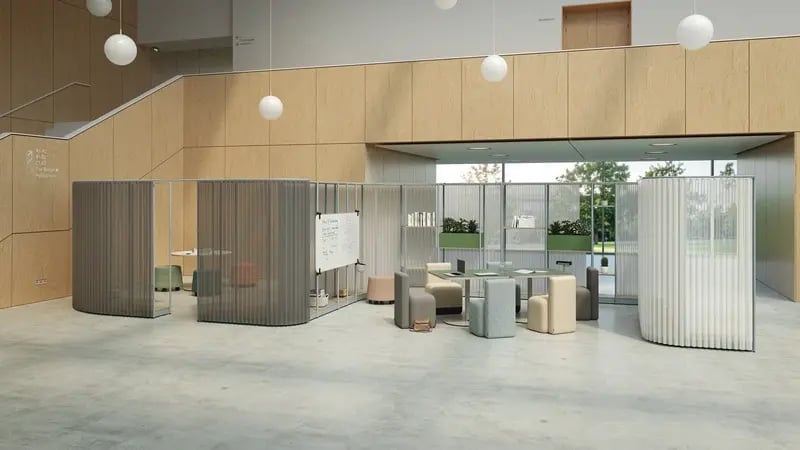
Start with a specific question. Would a private focus setting beside a shared review area help a team move between individual AI-assisted work and discussion with colleagues? Trial that one area before rolling it out across the whole office.
Establish a baseline and agree on what you want to learn. Look at demand and availability, but also ask about concentration, privacy, comfort and collaboration. Record practical obstacles such as equipment, booking arrangements or noise, then review the findings with the people using the setting.
IE can help you create mock-ups, prototype spaces and pilots to support this process. Reconfigurable furniture gives you scope to adjust the arrangement as you learn, without committing immediately to permanent construction.
Use the findings to decide what to keep, adjust or expand. A clear question and feedback from the people using the space give you a firmer basis for wider investment than a layout alone.
Summary
As AI becomes part of everyday work, the balance between concentration, shared judgement and human connection may continue to shift. Treat your workplace brief as something to revisit, rather than a fixed answer. Adaptable settings and regular feedback give you room to respond as your people's needs become clearer.
If you need help thinking through how your workplace could better support your people in the age of AI, or you're considering a full redesign, get in touch. We can help you explore what needs to change and where to start.
FAQs
1. Does AI mean we need fewer office desks?
AI adoption alone doesn't show that you need fewer desks. Look at attendance peaks, tasks, team requirements, and employee feedback before changing capacity. IE can help you connect your organisational needs with space planning and furniture decisions.
2. Can occupancy sensors measure employee productivity?
Occupancy sensors measure presence or space use, not the quality of someone's work. Treat their outputs as evidence about the workplace, and combine them with user feedback and appropriate privacy safeguards rather than reading presence as performance.
3. How can we test office changes before a full fit-out?
Trial a defined change in a limited area, compare usage and employee feedback with a baseline, then refine the proposal. IE can help you come up with designs to trial and specify, procure, and install any furniture required.